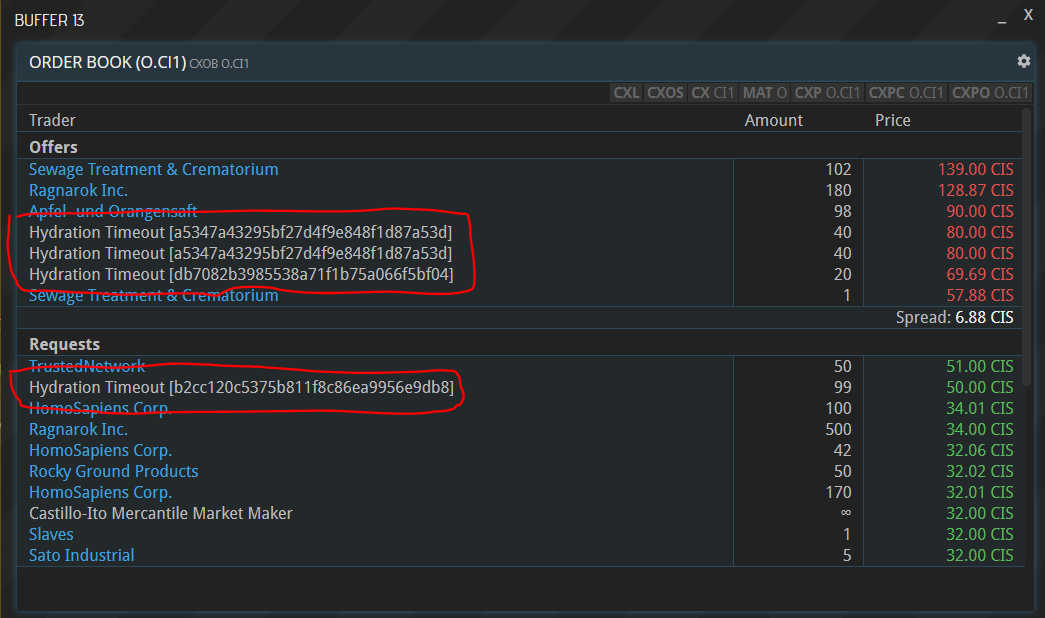
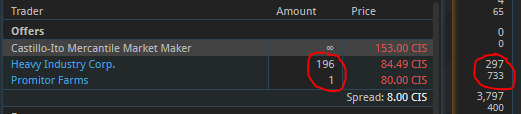
Issue: What does Supply/Demand column in the CX view indicate? Column shows 0/0 for NE.NC1, but CXOB NE.NC1 shows 28 units requested.
Perhaps you already determined this, but this error seems to always occur when there is a NPC market maker providing infinite supply/demand. Probably just need to ensure they are always excluded from consideration.
So here is a radical (and I’m sure unpopular) suggestion for the hub problem: Not have on-planet exchanges. If the goal for this game is to become popular, then you will find yourself running up against this problem again and again. I suggest that the answer is to level the playing field such that there is no longer an advantage of being on a hub planet. Thus all players have to travel by ship to get from their planet to the exchange (even if it is just in orbit around the planet).
An alternative would be for non-hub starting worlds to have a demonstrable resource advantage over the hub starting worlds to off-set their advantage of not needing any transportation to trade. But that seems artificial.
I’m not saying that there has to be equality, this is a capitalist game and companies should be rewarded for good planning. But it is also a game that benefits from lots of players and trading, and so retention of new players is very important.
Suggestion (QOL): Custom notifications, ie. “Notify me when price of good X drops below / rises above Y”, “Notify me if my inventory of good X falls below Y” or “Notify me of new LM orders on planet X”, etc. Make it flexible enough to allow notifications of various things players might deem important.
Suggestion: Illegal substances as trading goods, not allowed to be traded on CXs, only on LMs. As for what they might be, maybe consumable goods (ie. drugs) that boost worker production temporarily but give a negative hit after the initial boost (~24h boosted production, ~48h reduced production from fatigue/withdrawal). That would necessitate that we could give consumables to workers actively instead of them automatically being consumed. I’m sure there are other ideas of what illegal goods might be.
The PROD window displays two scrollbars instead of one
If on a small screen, the PROD window uses an inline scrollbar for the queues which are not bound to the “new order” buttons.
COMC breaks on smaller screens
I was not able to reproduce this reliable but when the COMC widget (how do you call those?) is quite narrow, there seems to be some resize issue and the first 3-5 charts are not displayed but a blank area instead.
BS not scrollable
It’s not possible to scroll the BS screen at all. Given that there are a few large buttons, that’s annoying.
reason seems to be the height: 100% on .Site__container___1GcAanC for the vertical part and some missing width for horizontal.
LMA should include a link to the Material
Not a bug but would be nice. Add a new row in the LMA window which links to the Material (similar to CXO). You might also think about color-coding the SELLING / BUYING part to align LMA, LMOS and CXOS a bit.
CONTS does not display Due date
Opening the CONTS view I’d assume that the “Due” column contains information on the Deadline of a contract, But it’s simply empty.
It would also help if you could see, what the Contract is about (e.g. 200 MCG or similar).
LM shows Ads of liquidated companies
I’d assume, that liquidating your company also deletes all open LM ads. This is currently not the case, example: LMA WN-506a/402
QoL/bug: Make minimized buffers behave as expected from other UIs/OS: Currently, if you click on an inactive buffer, it maximizes, but if you click it again in the bar below, it doesn’t minimize again. Would be nice if it did
If you enter a text into the Buffer (e.g. ci dw.ci1) it behaves differently to the upper case version. In most cases it just does not display any result (loading…)
As you already cache many buffers locally, it would be beneficiall if you can simply always uppercase the input of buffers automatically, either directly while input (onkeyup="this.value = this.value.toUpperCase();") or when posting the message (then probably with a text-transform so it looks for the user as if the buffer only shows uppercase).
Hydration Timeout is a technical term for an actor (e.g. company, user, comex broker) that didn’t respond within a certain time. We are currently experiencing some performance problems…
Might be related to some corrupt data or so due to the recent deployments but want to report nevertheless:
I started a trip with one of my ships (AVI-00BFX) on 28.01. from Katoa to FO-705d. The trip was planned with 1d 6h and a fuel usage of ~250SF and 250FF. So I took ~280FF in my tank with me and another 230FF for a slower trip back in cargo.
Today I arrived and still have 264FF in tank, the usage of the trip war only around ~16FF, which definitly seems to be wrong…
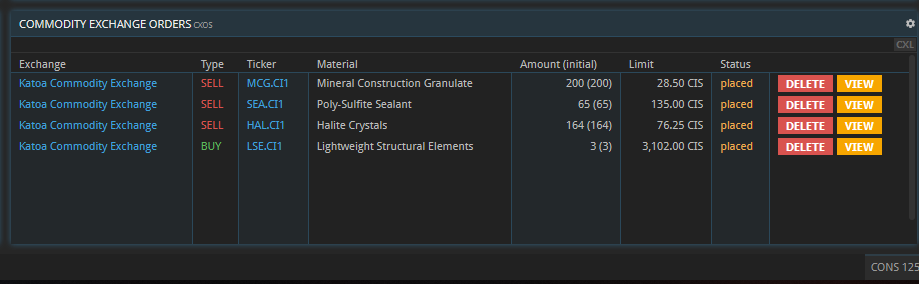
Suggestions: A “clear filled orders” button that deletes every filled order in the CXOS screen (or filters for the CXOS screen). Currently I deleted every cleared order myself but it’d be need if I could keep them for statistics’ sake but at the same time I want an overview of everything I’m currently selling.
In Proxion’s COGC today, Food Industries was listed as the upcoming program, but when you check the votes, it’s currently in second place behind Pioneers.
Another Proxionite noticed the same thing, and managed to get it to report the correct program by toggling their vote back and forth.
On my screen, though, Food Industries remained the upcoming program until I too toggled my vote back and forth …
Background, I find the game very sluggish in Chrome at least, I haven’t tested Firefox yet but I guess it would be the same due to the number of DOM elements…
document.getElementsByTagName('*').length
11935
I would suggesting using a virtual scroller when displaying long lists of data.
High CPU usage when SCRN contains MU NAV on Linux
I’m running a Linux workstation (Ubuntu with Cinnamon, activated 3d acceleration) and as soon as a map is displayed, the CPU usage goes up to block one complete core.
I’m using Chrome (79.x) and the spawned process is using: /opt/google/chrome/chrome --type=gpu-process
As soon as the map is removed, the cpu usage drops to nearly 0.
I’ll take a closer look, if this changes over time