Since the market maker has infinite supply/demand we count that as 100. If there are other orders we probably should not add 100…
2 Likes
I totally forgot about that 
Maybe instead of converting the MM to a number at all, just put an * or some other special mark to indicate its presence?
1 Like
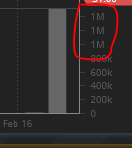
When volumes go past the k range to the M range on price charts the volume Y axis does not show useful values:
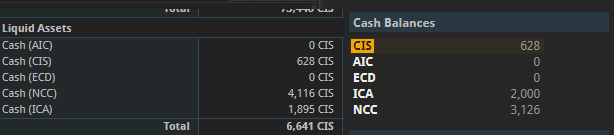
Could the Cash Balance and Liquid Assets have the same sorting please? I was very confused by my current liquid assets conversion value before my morning COF
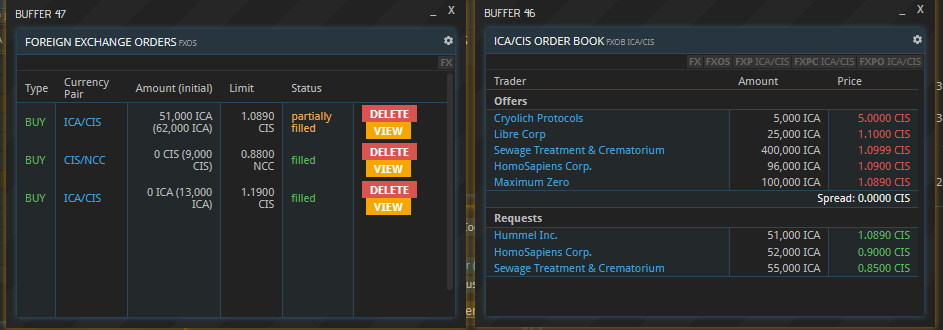
Just put in an exchange order that spanned three different sales orders (I wanted 60k, two had just 1-5k or something, the last supplier had enough to fill it). I put in the order for 60k at the price of the highest offer (1.0890 CIS at the right side of the screenshot). However as you can see on the left, it didn’t go through and fulfill. I had to delete the buy order and put it up again to trigger. It also actually says there’s a spread of 0.0000 CIS.
Preselection of collecting entity in LR dialog seems to be wrong
When i was elected as gov on Proxion, I updated the LR to a minimum of LM market fees. In the dialog, our Corp (MK-M) was preselected as collecting entity.
Upon save, the new market fees were saved, but the collecting entity was still Castillo-whatever.
The select does not contain a “selected” value by default, so it only shows the last one (but actually does not submit anything):
<select size="1" data-kpxc-id="kpxcpw342845651">
  <option value="LOCAL_COUNTRY">Castillo-Ito Mercantile</option>
  <option value="GOVERNOR_CORPORATION">Mao-Kikowski Mercantile</option>
</select>
Just saw, that there is a separate “Update” button for the upper part. So probably not a bug but just a bit weird ui?
Saw something strange when queuing multiple orders:
My FRM makes BEA in 5h17m.
When I set the order size to 5, the time becomes 1d2h, as expected.
However, when I set the order size to 6, the time becomes 1d9h …
Unless you’re rounding the displayed time at some coarser granularity than 1h, I don’t see how this math works.
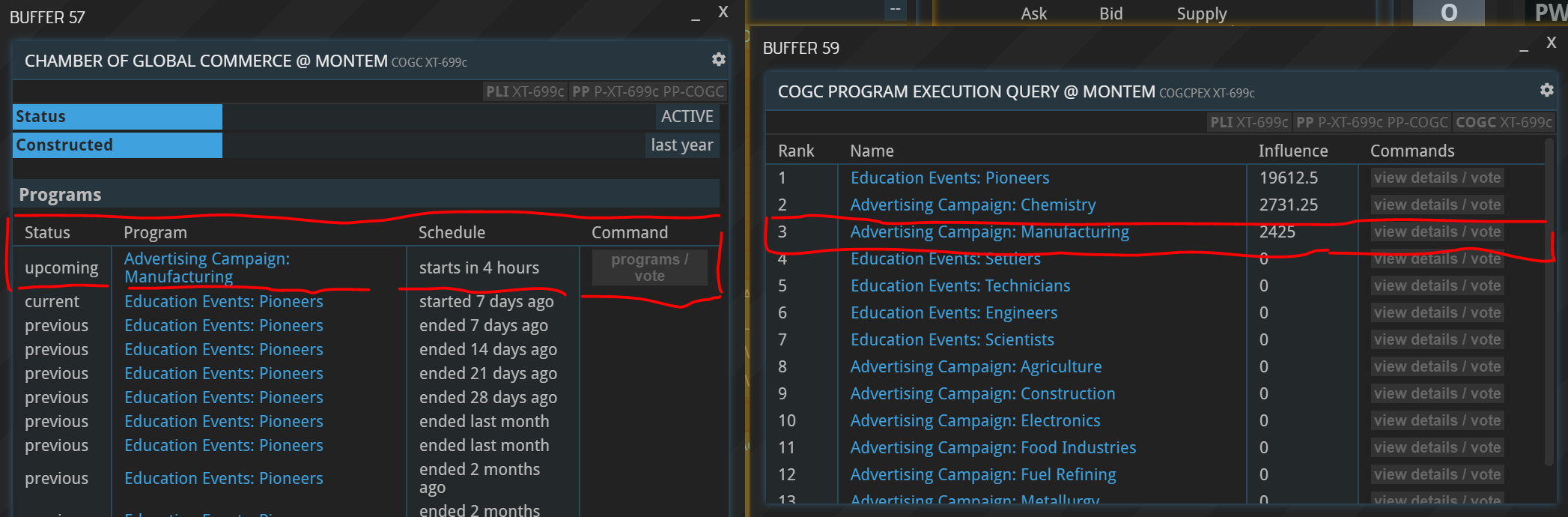
This is a known bug, but I haven’t had the time to fix it. If you vote for something else, and then for your favorite program again it should be displayed correctly.
This shows:
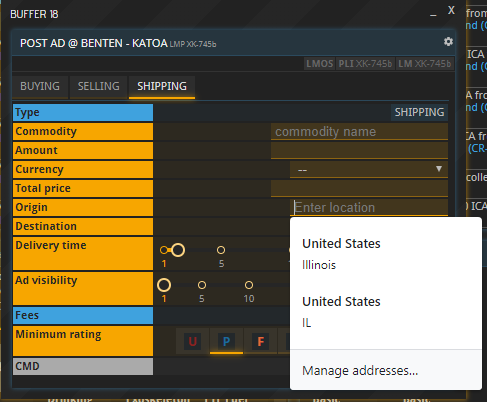
Windows 10 - Chrome
Woo, let us know how much FF with one of those origins!
Are BLCK items supposed to remain in my inventory even if the receiving party has picked them up?
I have a sale LM contract (DLW52M8) which my buyer accepted. I then provisioned the goods, producing a BLCK item (#1A6EC) in my inventory. They subsequently have picked them up. Contract line items #1 and #3 are both “fulfilled”, but the BLCK item remains.
Maybe relevant facts:
- They have not paid yet.
- I have another identical sale LM contract (items, prices, terms) currently open in a slightly different state: they accepted, I provisioned, they paid, but have not yet picked up. So, I expect the BLCK item (different ID) to remain in my inventory in this case, but too similar to not mention?
Sorry if this is not a bug, but if the sold goods are also in their inventory by now (which I assume since they picked up), it is a lil odd to have a single batch of goods occupy inventory space in two inventories.
Here’s another thing related to size of BLCK items.
A partner has partially picked up an item, but the BLCK item is still the size of the full order in my inventory.
Specifics: LM contract (41RDF0T) selling 1,000 H2O produced a 1,000 m3 & t BLCK item (DC5D7). Buyer picked up 965, leaving the status as partially fulfilled with 35/1000 left to pick up. BLCK item size still 1,000.
No, they aren’t. I just checked your inventories, the blocked items are gone. Not to say so that this happened too late. I will have to look into it!
Thanks for the report, will have to look into it as well!
And here’s a ship fuel consumption oddball.
My ship appears to not be consuming fuel. On the SFC tile, the Distance & Consumption columns are completely empty in every row. Duration appears to be ticking down as expected. On the 5th JMP of 6, and the ship’s FF tank is too full. Ah, and I just watched it CHRG and make the 6th JMP, and FF tank unchanged. See screenshot below; would look the same if I took it now, except the durations on line 10 & 11 would be gone.
Remembered to hit F5 to confirm not just a display bug (forgot on the two BLCK issues above  ), and also checked the fuel tank contents in other two spots I know to see it. All the same.
I filled the FF tank immediately before leaving, so maybe only the first JMP consumed fuel? Could have been first two I suppose.
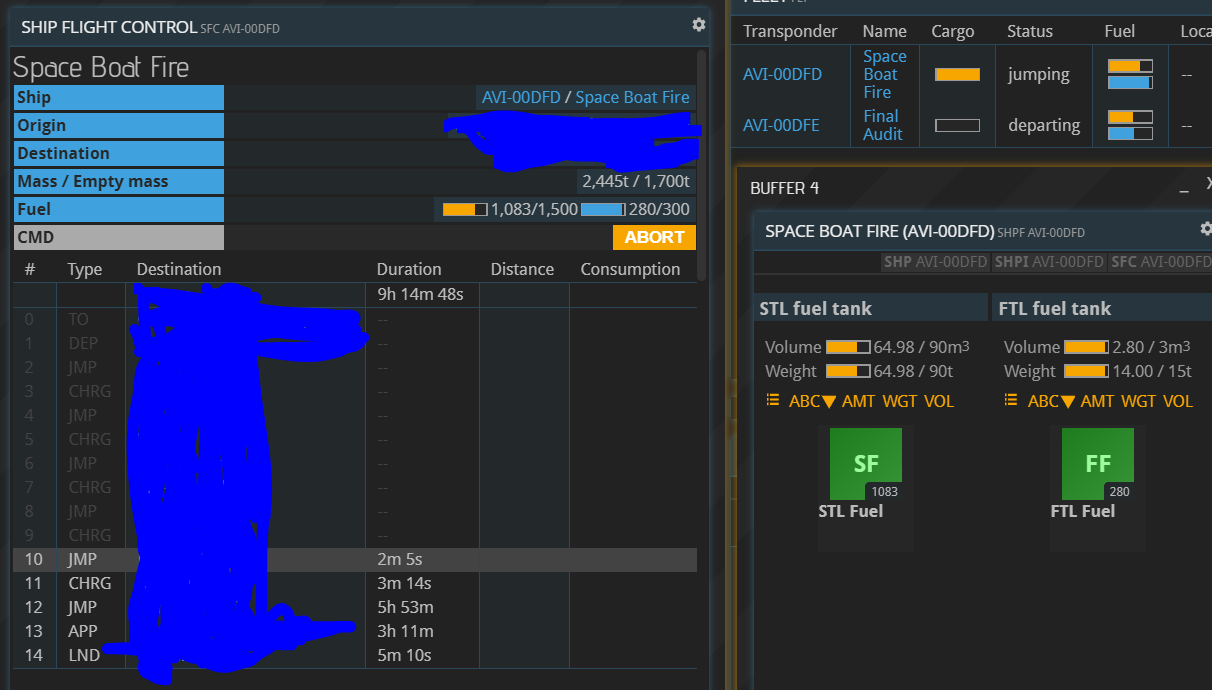
Thanks for the report. This is a known bug and we haven’t figured it out yet.
I really like the new shipping contracts, thanks for that extension!
Some though on them:
- it would be great, if the goods are automatically removed from the repository when posting an ad. This way the hauler would not need to wait for the other party to be online. A bit like cx sales.
- I’d like to see the contracts in both lms involved. This way it becomes a bit easier to find contracts for your trip, you don’t have to check both lms.
This works for CX sales because you are essentially depositing the material at the CX. For private contracts this is not the case. The store where the material resides in might actually move to a different location (if it’s a ship) before the contact is accepted and just “blocking materials in nirvana” is a invite to exploitation. It will likely have to the stay the way it currently is.
There are a whole lot of things that could make the shipping contracts more user-friendly. But in a way, with shipping contracts we went the opposite direction of CXs: For trading we had structured, easy-to-use exchanges first and then added a lower-level, more direct and less structures alternative in the form of LMs. For shipping it will likely go the other way around. We have the low-level contact version now, but a more structures platform for transport and shipping deals will very likely be added in the (somewhat far) future.